History adjusted for splits.
A split changes the quoted price overnight. Adjusted history keeps the series continuous, so the change is not read as a gain or a loss.
Describe a strategy in plain English, and Pyon drafts it as a graph you can edit, backtests it on adjusted history and explains the result. Your own AI agent can do the same through the Pyon MCP server.
Tell the Pyon agent what you want to test. It drafts the trigger, the condition, both outcomes and the exit as a graph you can edit.
“Buy AAPL when RSI(14) falls below 30. Exit above 70. Define the position size.”
Illustrative workflow. Review every rule before testing or trading.
Market open
AAPL RSI(14) < 30
Enter with a defined position size
No entry
AAPL RSI(14) > 70
Backtests run on split-adjusted history, check each rule before a run, and explain what happened, including when a strategy never traded.
A split changes the quoted price overnight. Adjusted history keeps the series continuous, so the change is not read as a gain or a loss.
RSI(14) > 120
RSI is bounded from 0 to 100. An out-of-range threshold is flagged before it becomes a strategy that never fires.
Model fields and position size are reviewed too.
The backtest can report which entry condition blocked trades and the values it observed in that window.
Illustrative diagnosis, not a backtest result.
Choose market features, train on historical data, and review the signal before using it as a condition.
Five illustrative inputs feed one target, the forward five-day return.
Five market inputs One illustrative target: forward five-day return
The model fits the selected inputs over 60 illustrative epochs. The curve shows training loss, not returns.
Walk-forward checks move through time, with each later window held out from the data used to fit the model.
Train on earlier periods Validate on later periods
The prediction is available as a Strategy Builder condition, ready to review before you run a backtest.
Illustrative walkthrough. Sample values are not a live training run or investment results.
Connect an MCP client to Pyon. Your agent can work through a strategy and return results for you to inspect.
Connect from the client you already use

 Codex
CodexYour request
Build a momentum basket on AAPL, MSFT and NVDA. Backtest it, then tune it.
Draft strategy graph returned
Simulation complete; trades and risk available to inspect
Entry conditions and execution reviewed
Candidate parameters compared
Review the results in Pyon before deciding what to run.
Create an API key under Account in Pyon, then add the MCP server to your client.
One command in your terminal:
claude mcp add pyon -e PYON_API_KEY=pyk_your_key -- npx -y pyon-mcpThis sequence illustrates MCP tool use. It is not a live strategy run.
Pyon Wealth is for financial advisers. Each client's answers, the figures that follow from them and your advice live in one file, which reports, reviews and Consumer Duty records all draw on.
Each client opens as a map of their file. Every card, from reviews and risk to pensions and vulnerability, shows where that part stands and opens the work behind it.
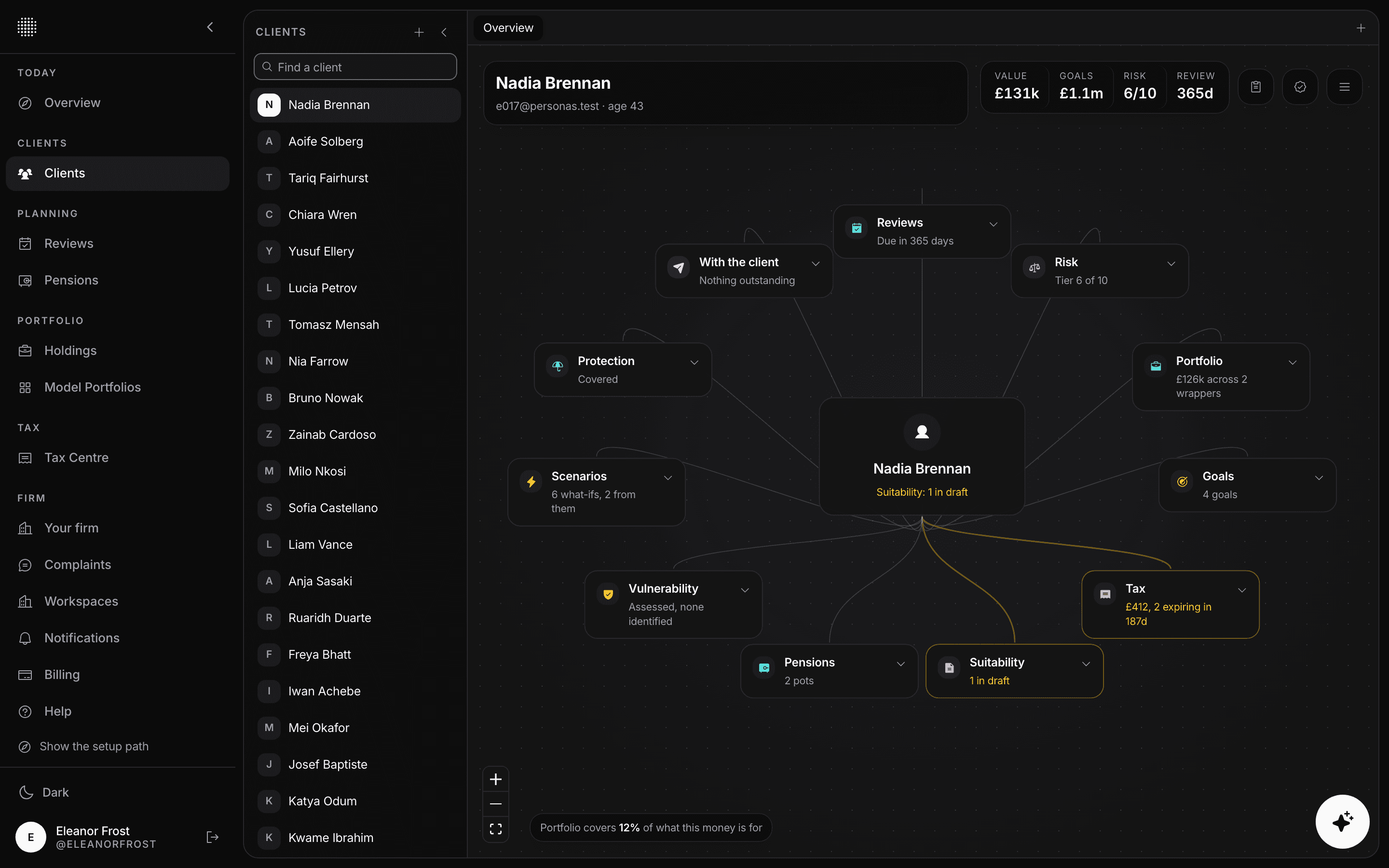
Screens show the Pyon Wealth app with invented clients.
Ask one question at a time or show them all on one page. Answers already on file are filled in, so clients only tell you what has changed.
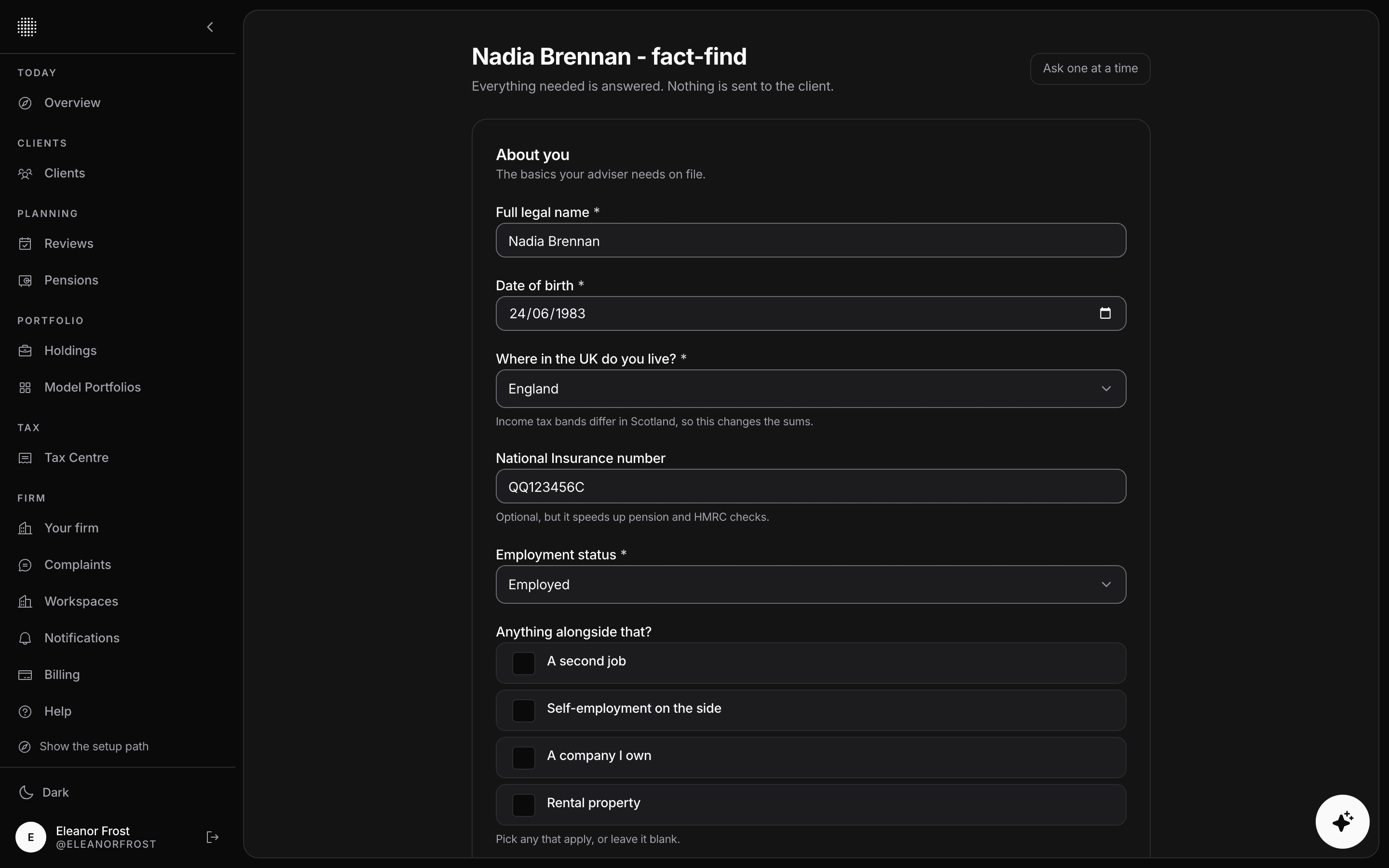
Send a secure link to answer at home, or fill the fact-find in together during the meeting.
Pyon works out figures such as take-home pay, emergency-fund months and time horizon from the answers.
Anything Pyon infers stays a suggestion until you confirm it with the client.
Goals are tested against the client's cashflow plan, and the suitability report drafts from the same figures, so nothing is copied across by hand.
See whether each goal is met on the median path and on a poor run of markets, and run a cashflow simulation with platform, fund and adviser charges split out.
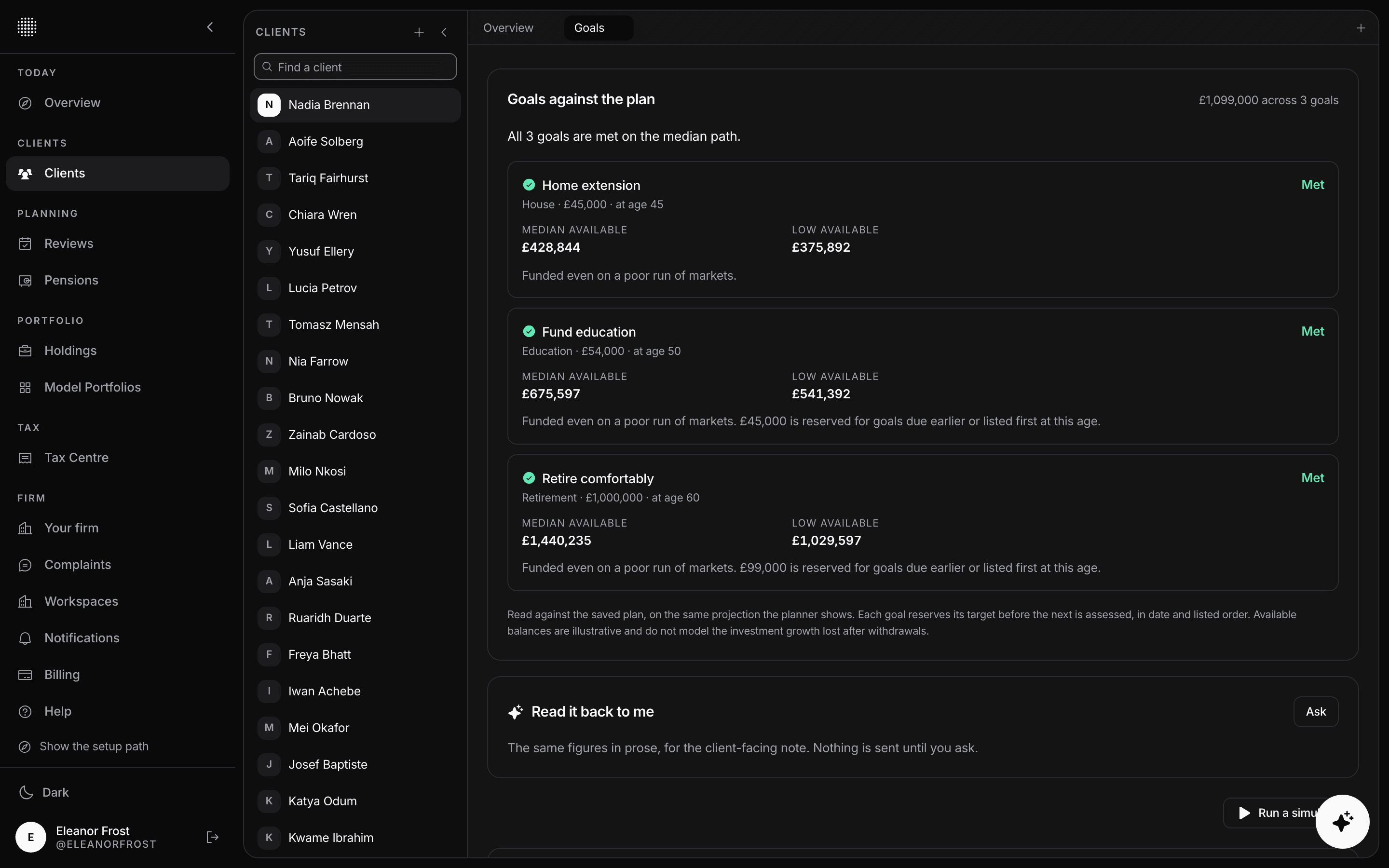
Generate a draft from the file, write your rationale for each goal, finalise it with your firm's branding, and send it for the client to read and confirm.
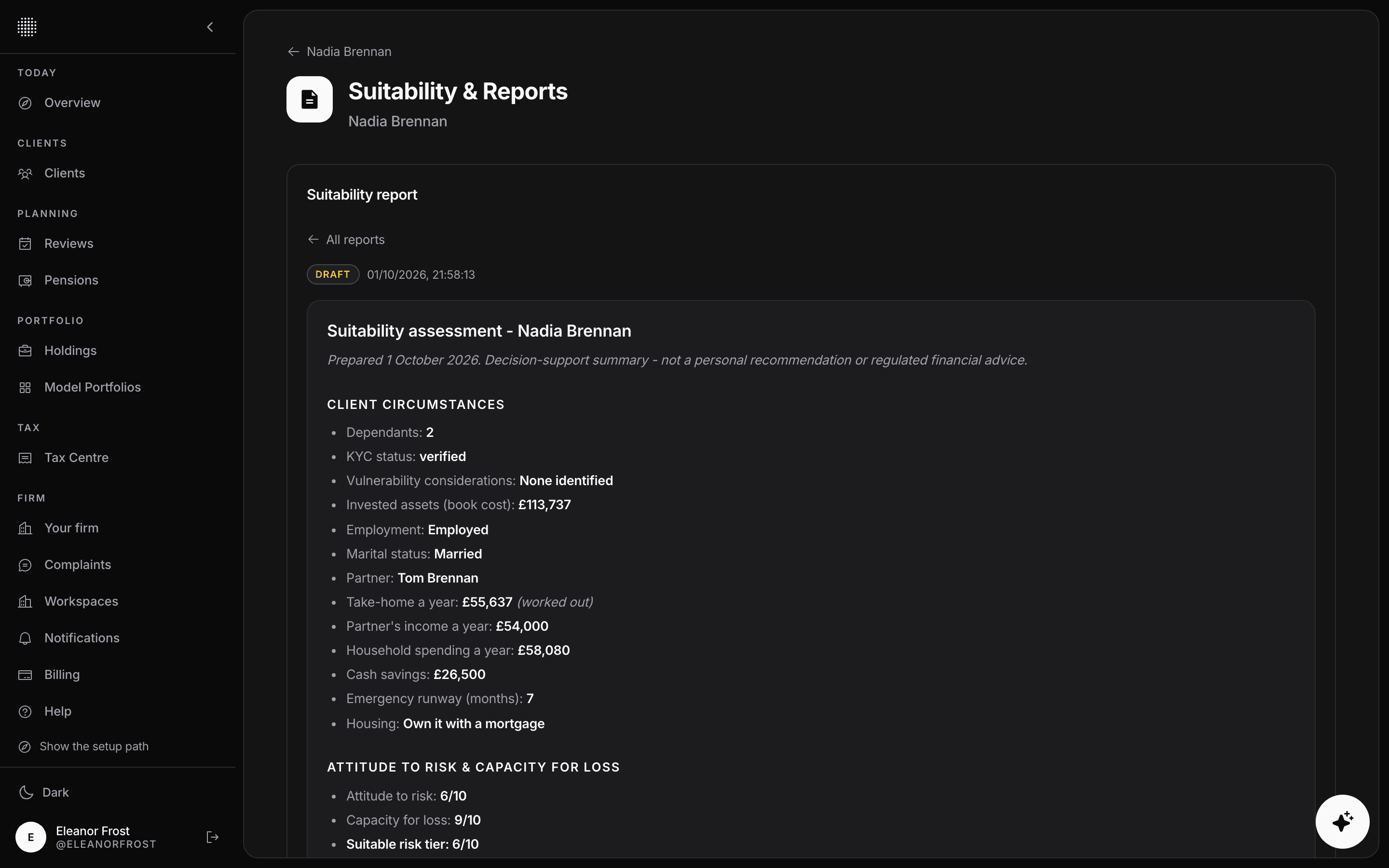
The work that often sits in separate spreadsheets lives on the same client file, ready for the next review or file check.
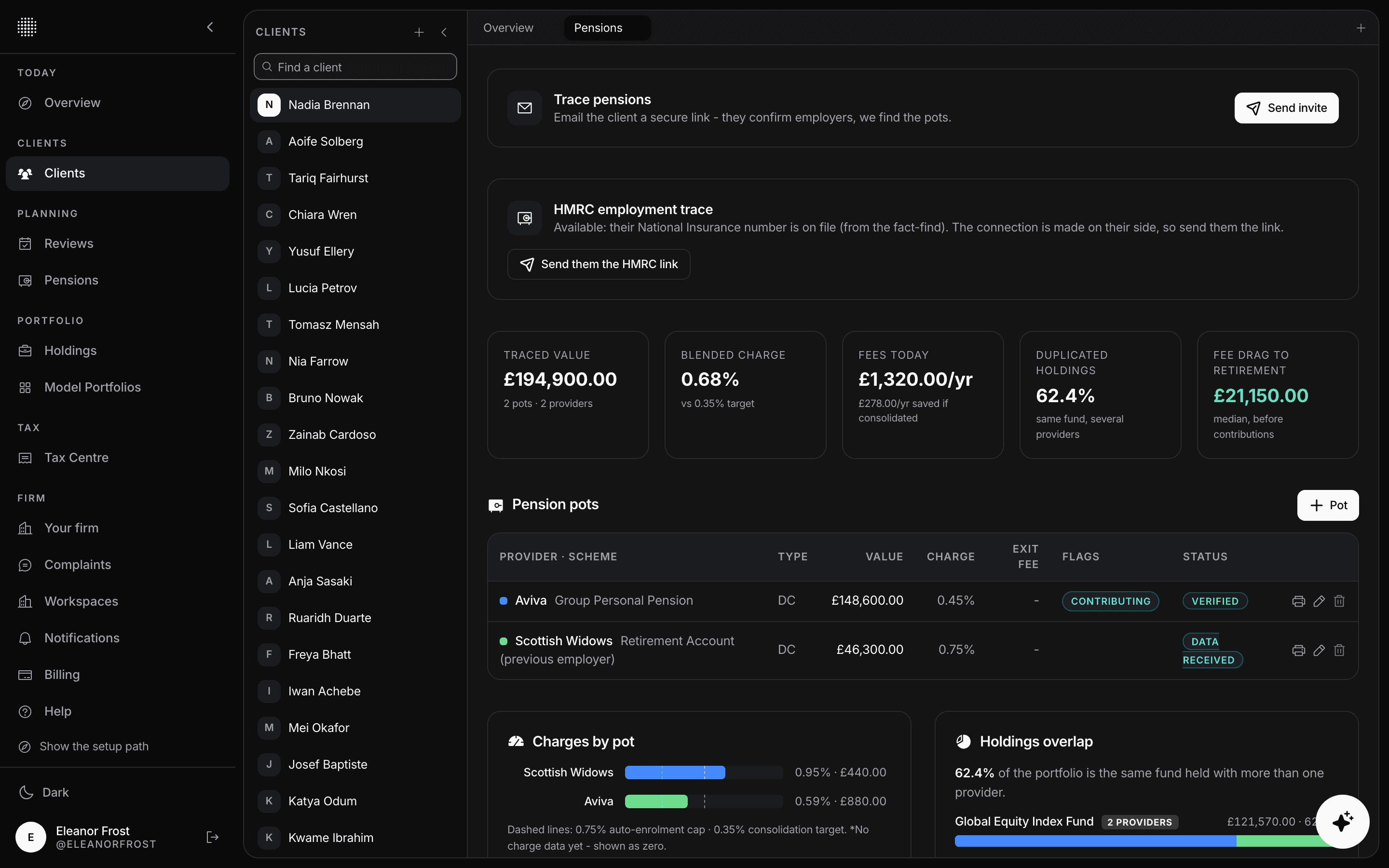
Clients list past employers through a secure link, and Pyon suggests the scheme each one points to. One signature covers a letter of authority for every scheme, which you print, send and track until the provider replies.
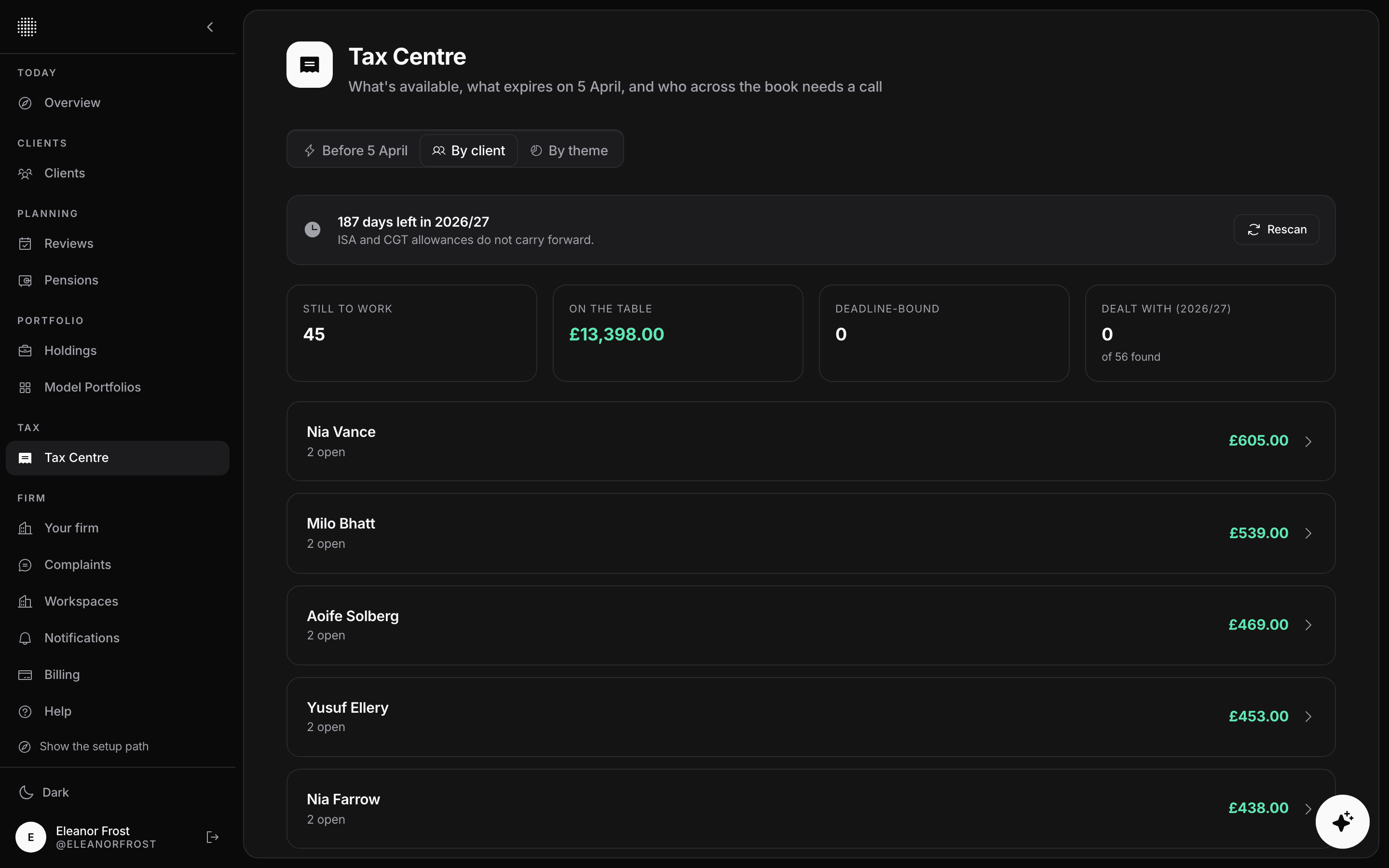
The Tax Centre lists unused allowances across the book, such as ISA, pension annual allowance and the CGT exemption. Each decision to act, wait or dismiss is logged on the client's history.
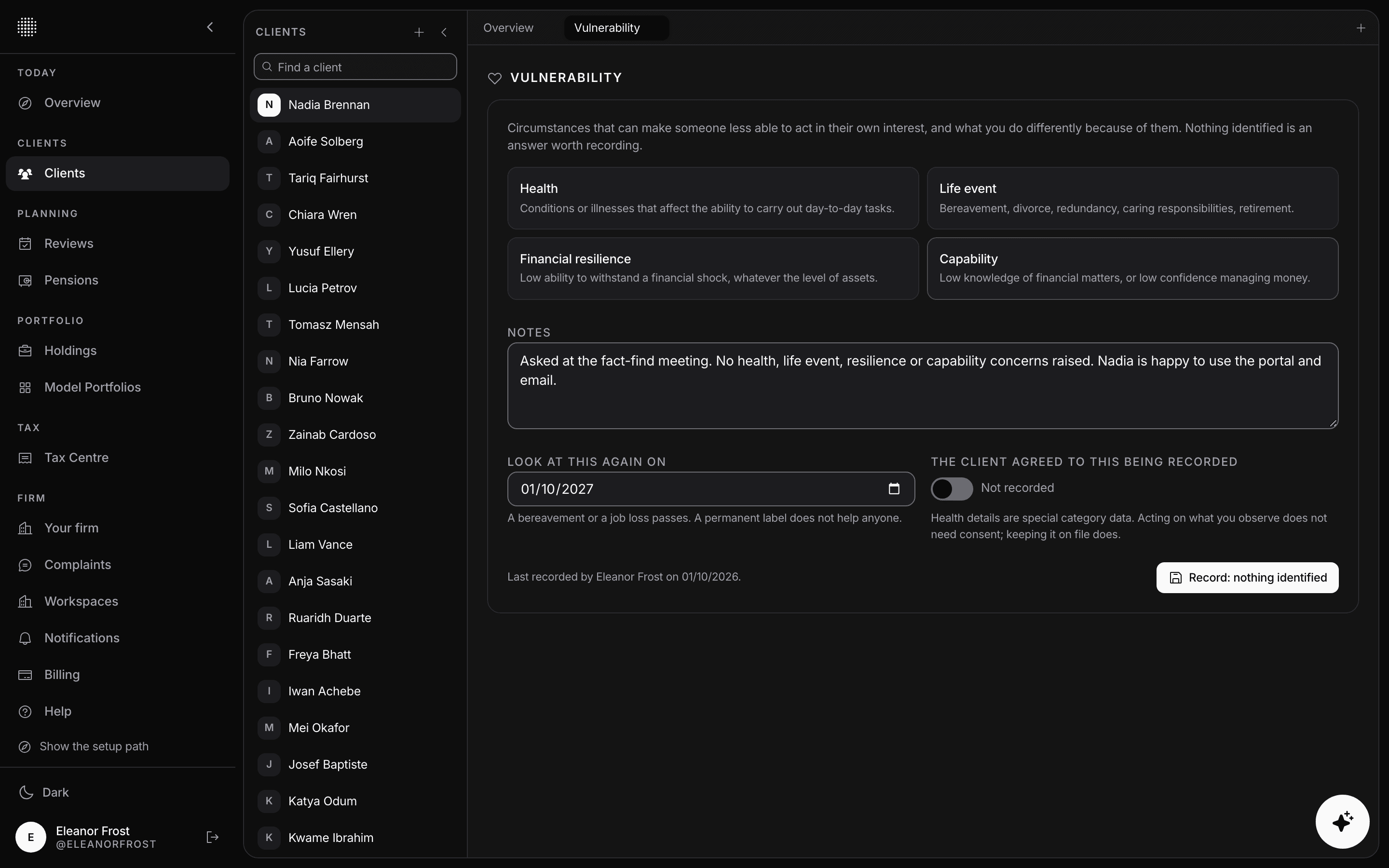
Record vulnerability against the FCA's four drivers, with the client's consent, the support you will give and a date to look again.
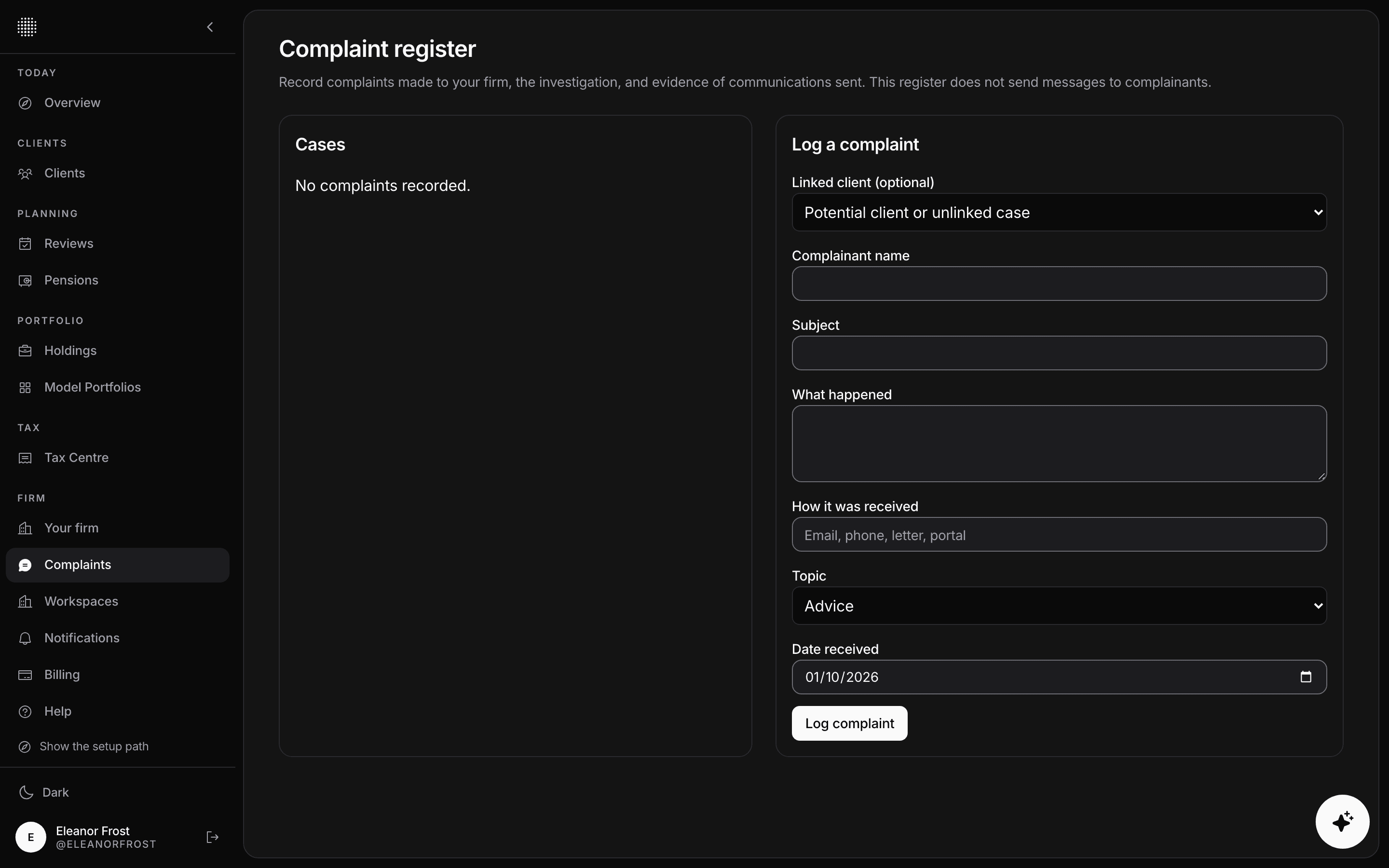
Log each complaint with its evidence. The register works out the eight-week response date and flags any complaint that passes it.
Loading articles…